
How To Guide
How to Invite Friends to Join Convoke
The best adventures happen with friends by your side! If you know someone who'd love Convoke, invite them to join the platform. It's quick and easy — just send them a link and they'll be ready to adventure in no time.
Step 1
Navigate to Invite a Friend
Click Invite a Friend in the sidebar under "Community." This opens the invite page where you can generate a personalized invite link to share with your friends.
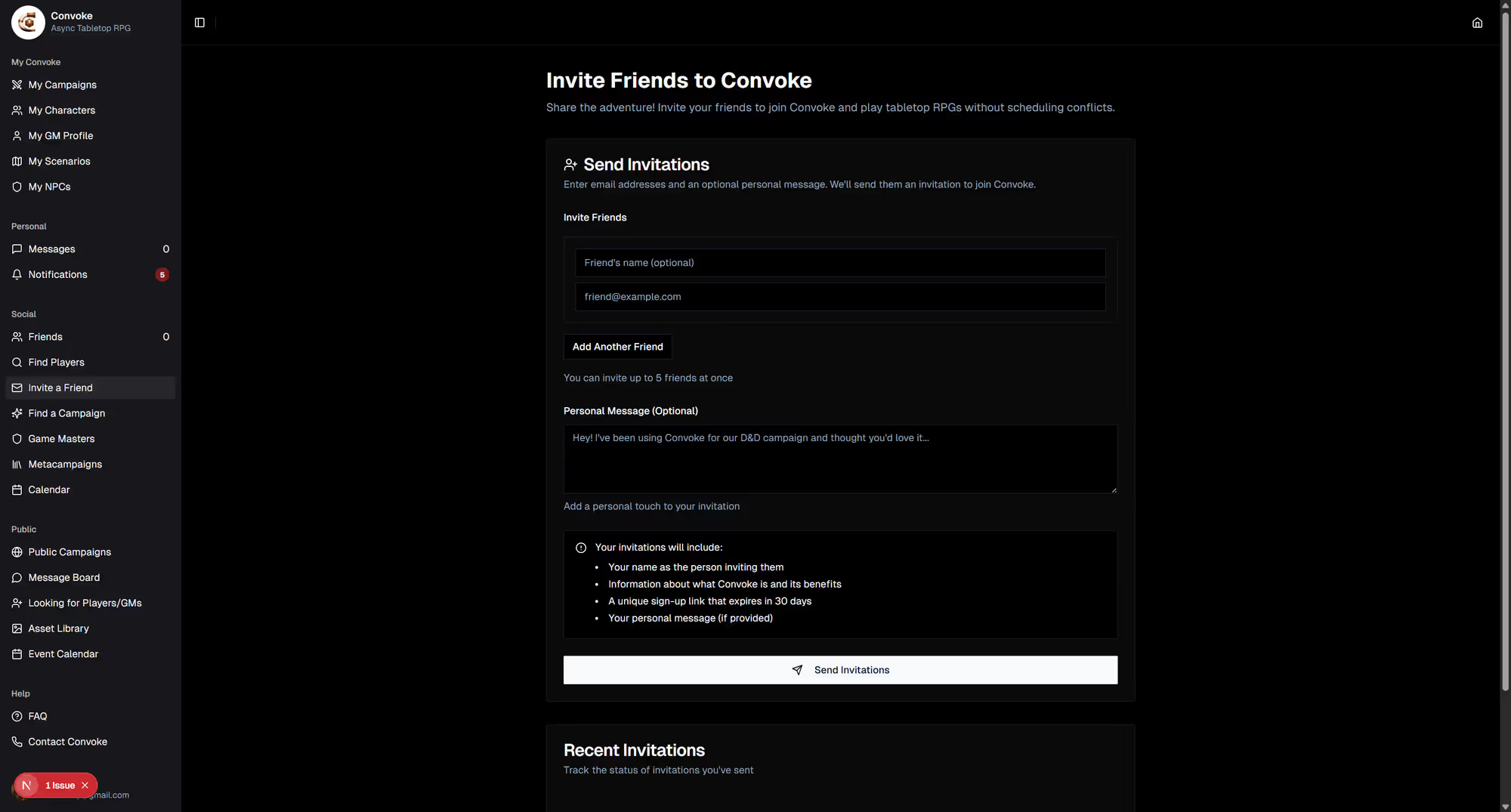
Step 2
Share Your Invite
Copy the invite link and share it via text, email, Discord, or wherever your group hangs out. When your friend clicks the link, they'll be taken to the registration page. Once they sign up, you can send them a friend request and start adventuring together!
Pro Tip
Invite to a Campaign Directly
You can also invite people directly to a specific campaign! From your campaign's settings, generate a campaign invite link. When someone uses it, they'll join Convoke and be added to your campaign in one step.