How To Guide
How to Join a Campaign
Looking for your next adventure? Convoke makes it easy to find and join campaigns run by Game Masters around the world. Whether you prefer play-by-post, virtual tabletop, or hybrid play — there's a campaign out there for you.
Step 1
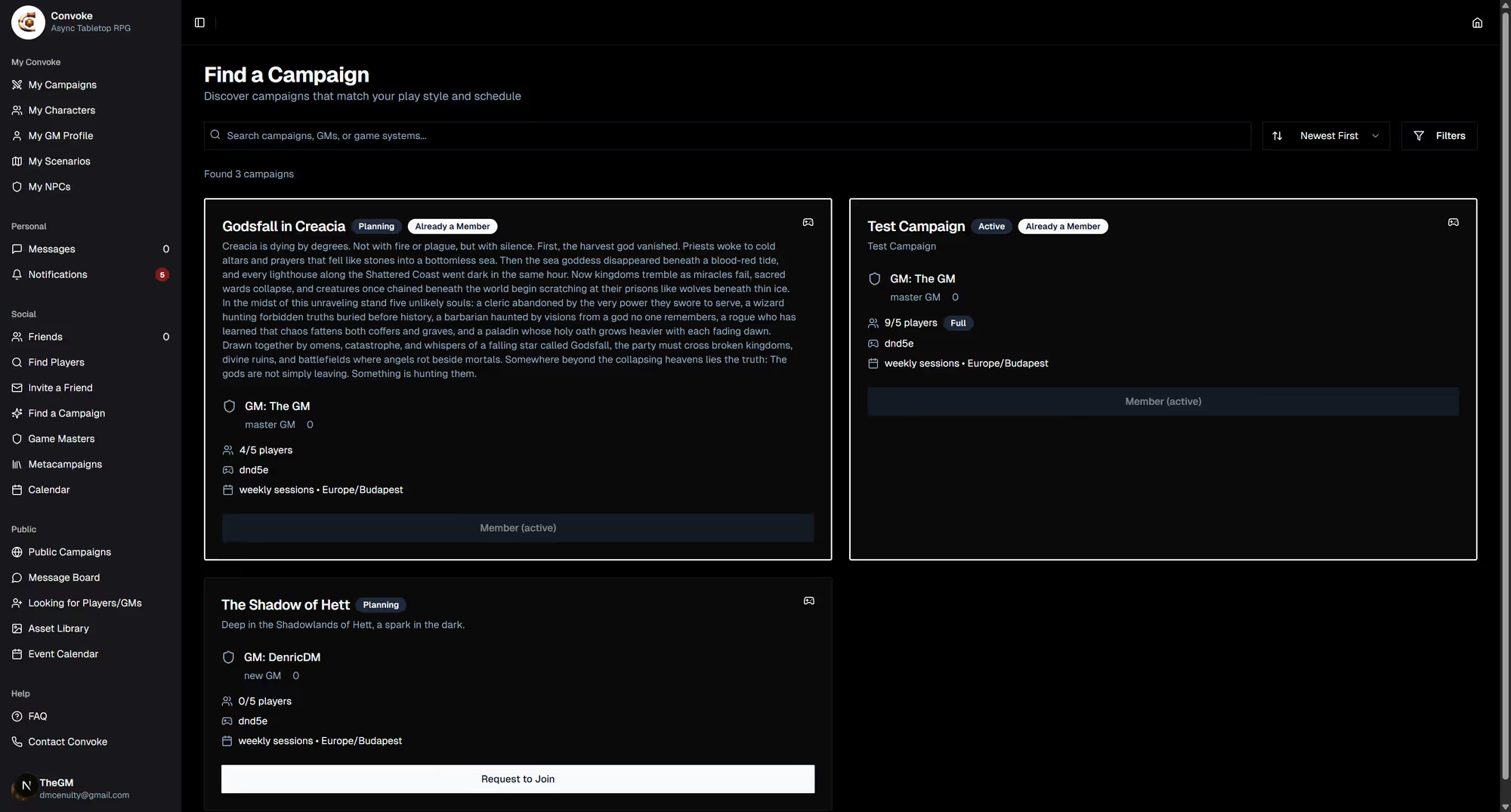
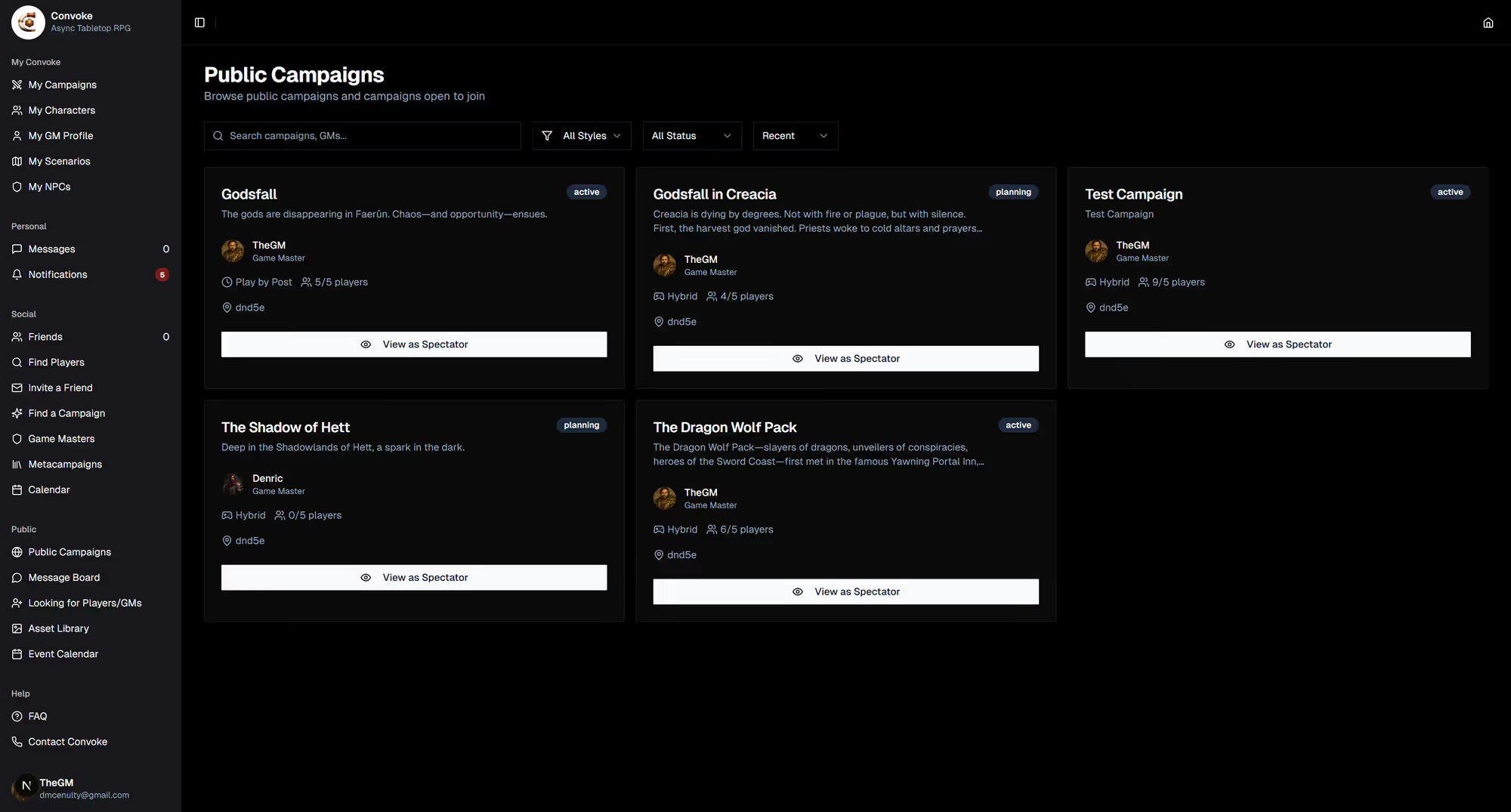
Browse Available Campaigns
Click Find a Campaign in the sidebar under "Social," or visit Public Campaigns under the "Public" section to browse all open campaigns. You can filter by play style, genre, and availability.
Step 2
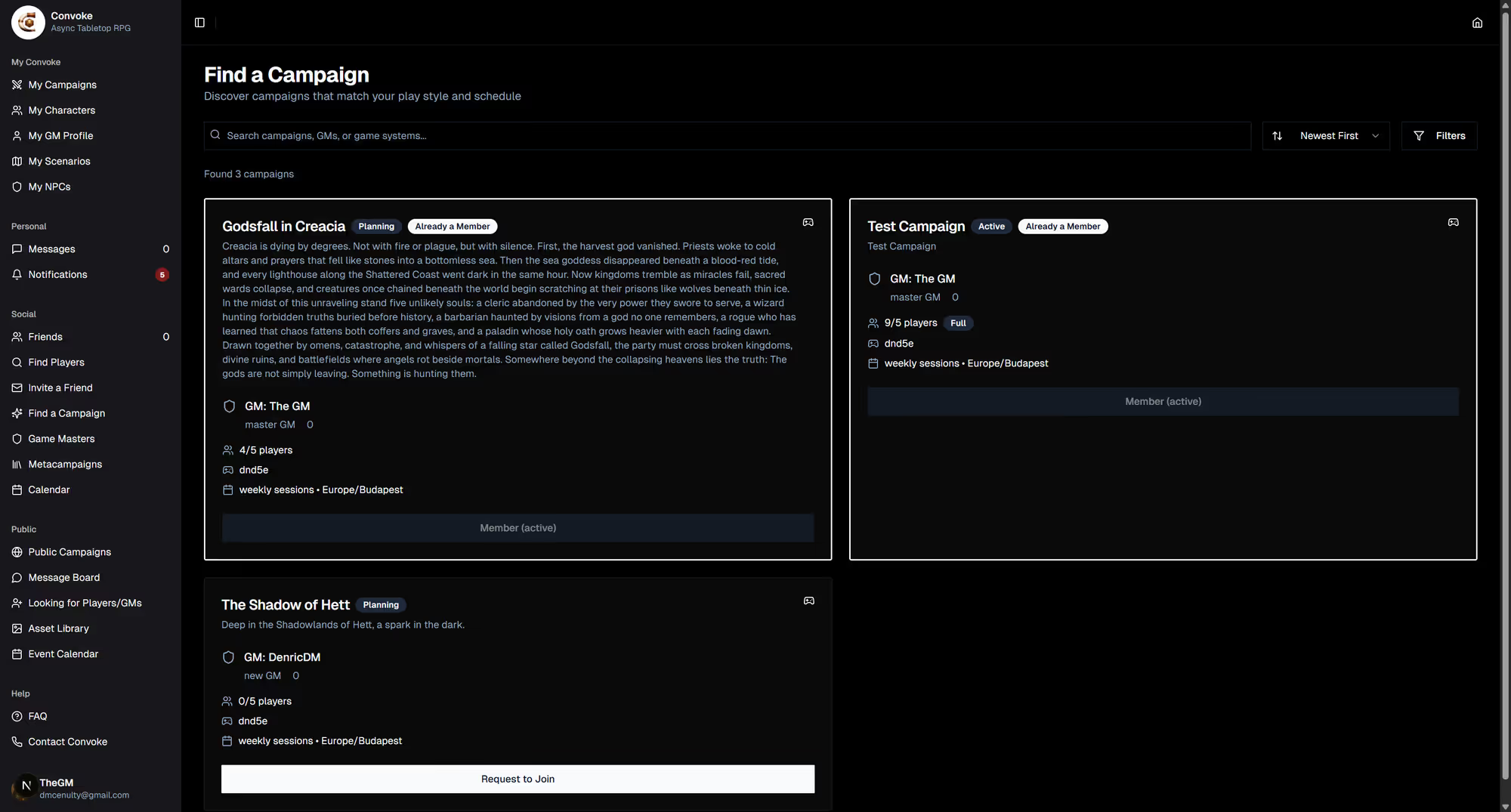
Review Campaign Details
Click on any campaign to see its full details — the description, play style (Play-by-Post, VTT, Hybrid), the GM's profile, current players, and active scenarios. This helps you find the right fit for your playstyle.
Step 3
Request to Join
When you find a campaign you like, click the Join Campaign button. The GM will receive a notification and can accept your request. You can also join campaigns via a direct invite link from a GM or friend.