How To Guide
How to Message Users & Friends
Need to coordinate outside of a campaign? Convoke's direct messaging system lets you chat privately with any user or friend. Whether you're planning your next session or just catching up, it's all right here.
Step 1
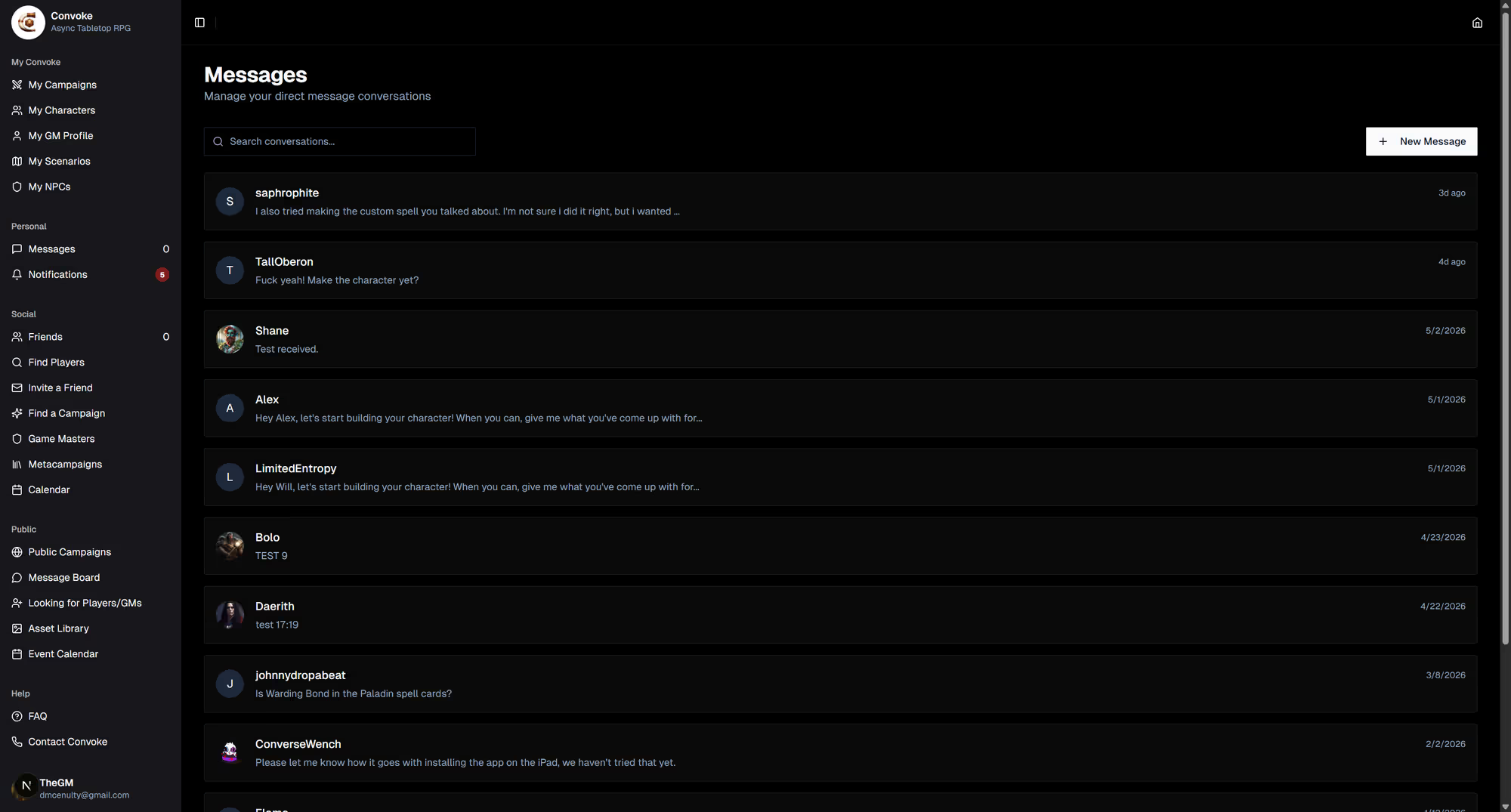
Open Messages
Click Messages in the sidebar under "Inbox." You'll see all your existing conversations listed with the most recent messages.
Step 2
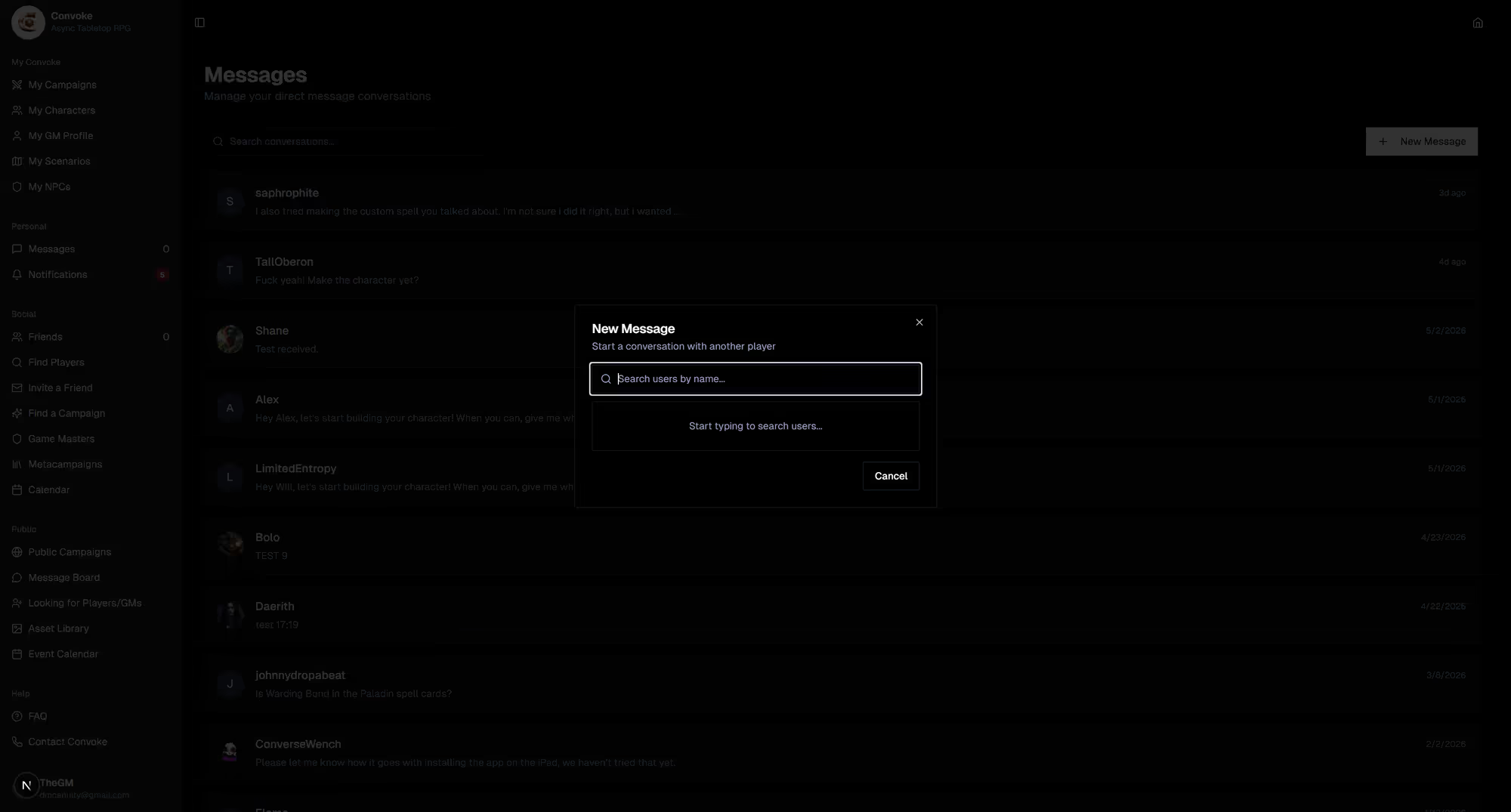
Start a New Conversation
To message someone new, click the New Message button and search for the user you want to reach. Select them from the results and start typing your message. Hit send, and you're chatting!
Step 3
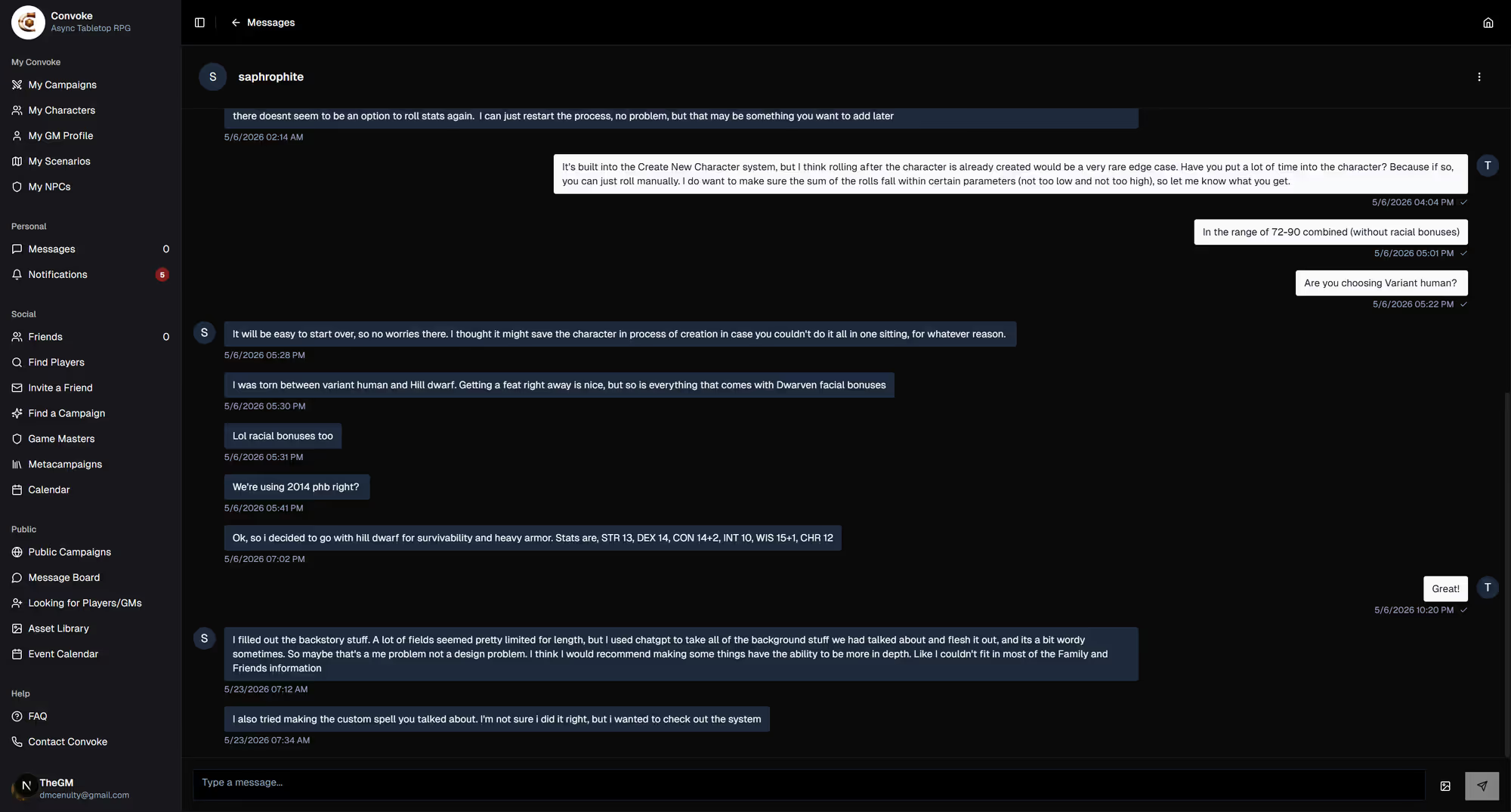
Continue Existing Conversations
Click any existing conversation to open it. Type your reply in the message box at the bottom and hit send. You'll receive notifications when someone replies, so you never miss a message.