How To Guide
How to Post on & Read the Message Board
The Message Board is Convoke's community hub where players and GMs discuss everything from rules questions and homebrew ideas to campaign stories and general TTRPG chat. Jump in and join the conversation!
Step 1
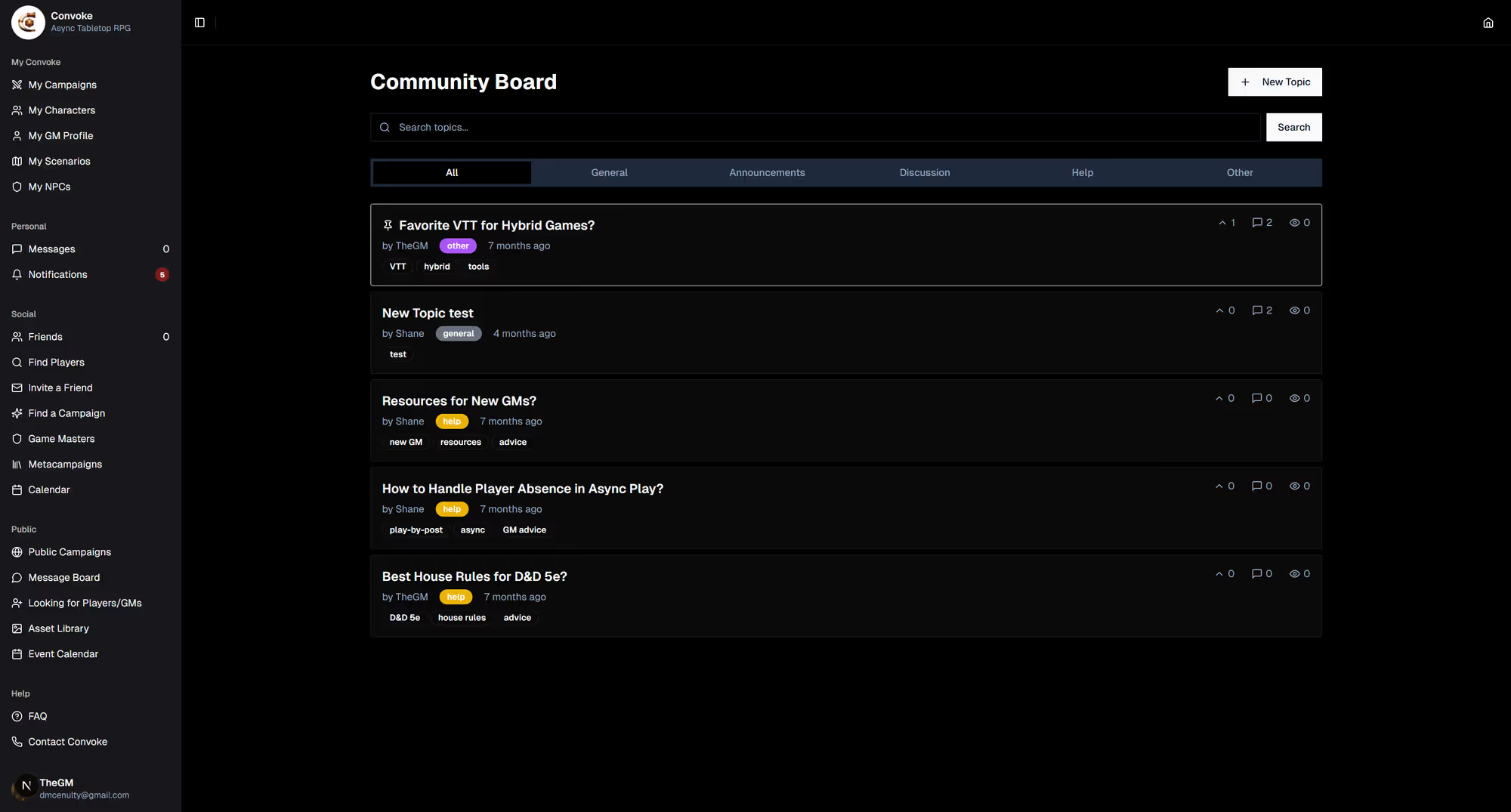
Open the Message Board
Click Message Board in the sidebar under "Community." You'll see a list of discussion topics sorted by most recent activity. Browse through existing threads or start a new one.
Step 2
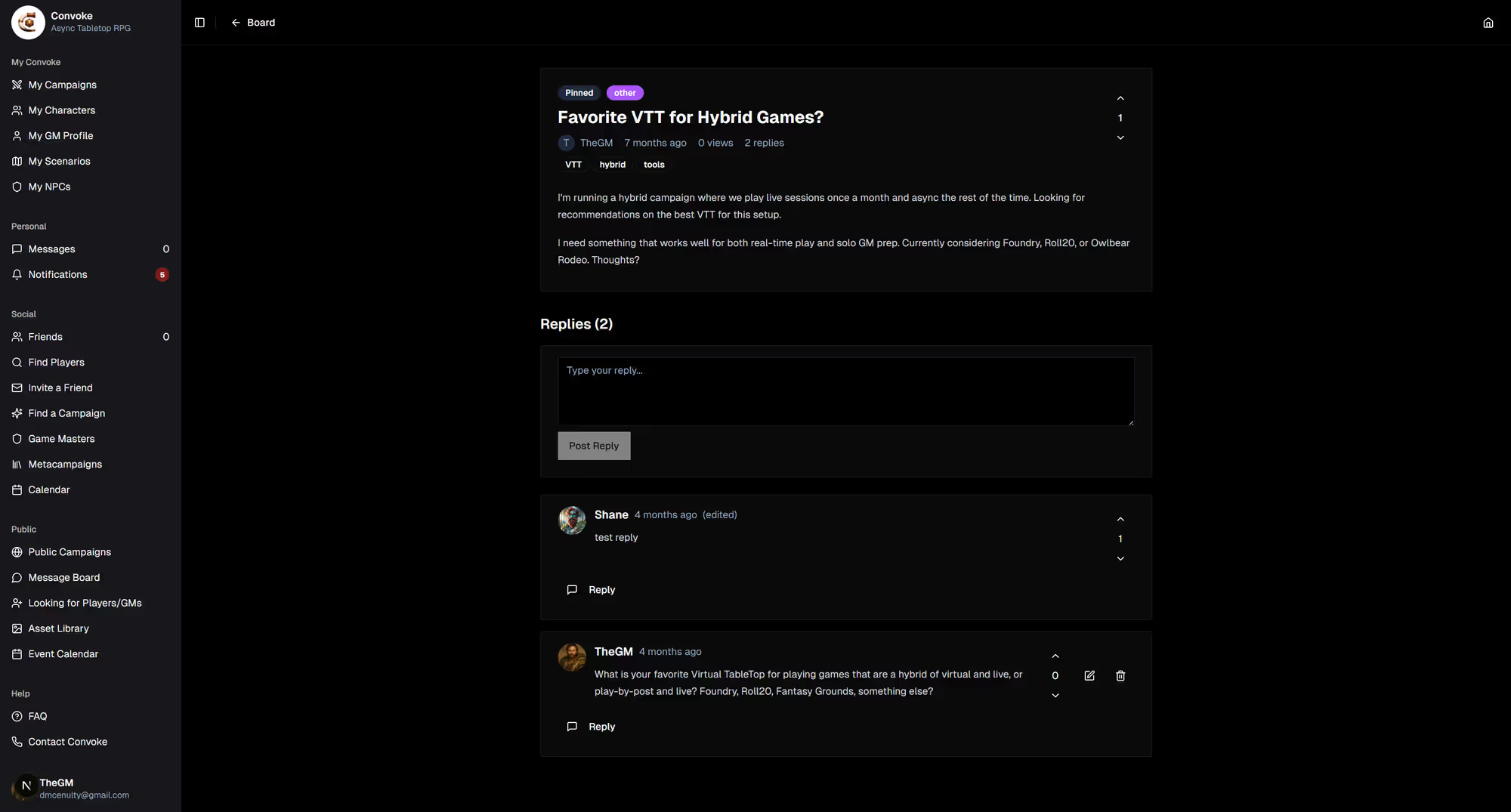
Read & Reply to Topics
Click on any topic to read the full discussion and see all replies. To contribute, scroll to the bottom and type your reply. You can format your text with bold, italic, and lists to make your posts easy to read.
Step 3
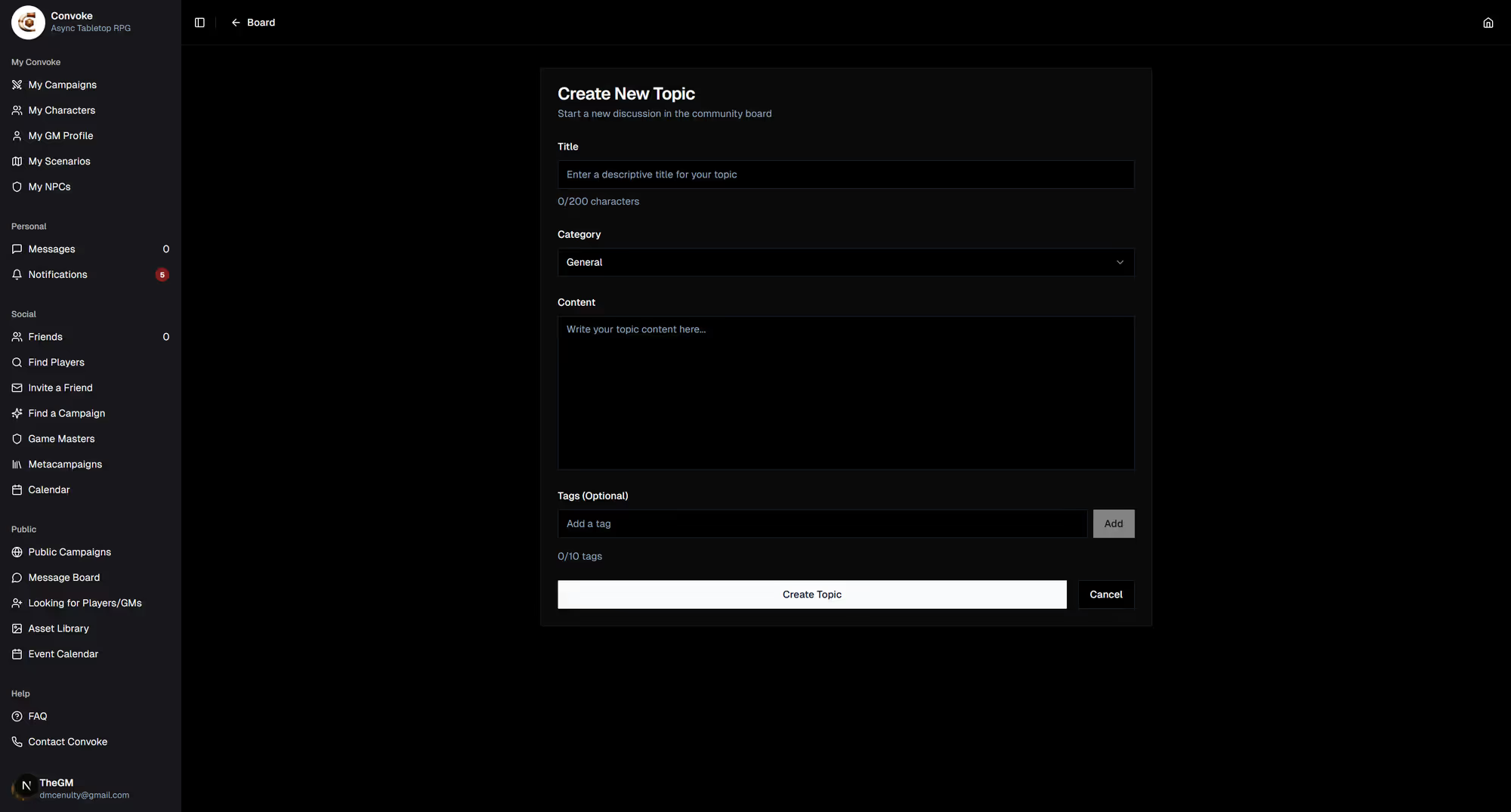
Create a New Topic
Want to start a new discussion? Click the New Topic button, give it a title, write your post, and publish it. Other users will be able to find it and reply. Great for asking rules questions, sharing campaign stories, or looking for advice!