How To Guide
How to Roll & Customize 3D Dice
Rolling dice is one of the most satisfying parts of tabletop RPGs, and Convoke brings that thrill to your screen with a full 3D dice roller! Roll any combination of dice, customize their appearance, and watch them tumble across your screen.
Step 1
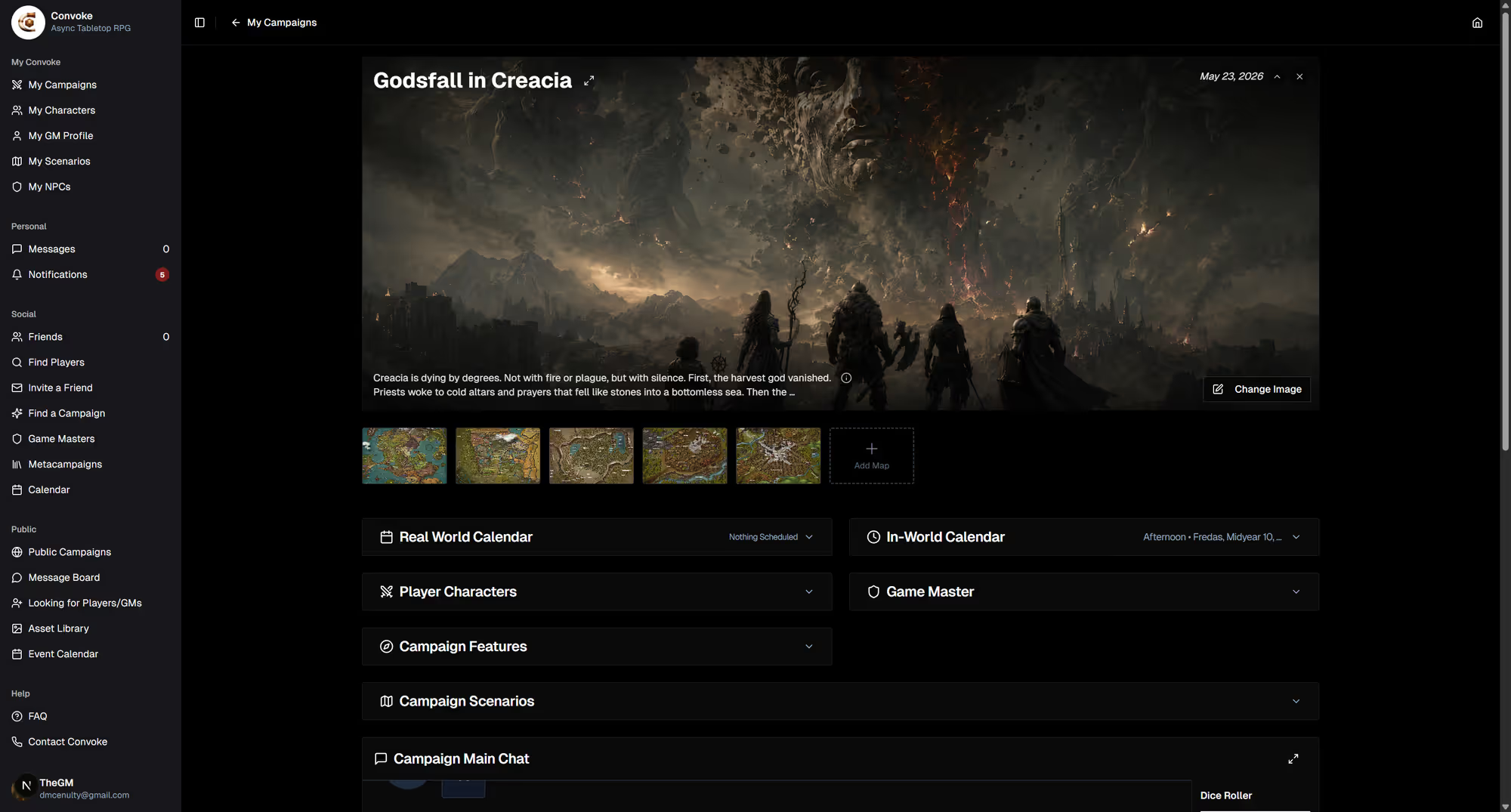
Find the Dice Roller
The dice roller lives on the campaign page, below the chat interface. You'll see the Dice Roller heading with buttons for all standard dice types: d20, d12, d10, d8, d6, d4, d2, and d100.
Step 2
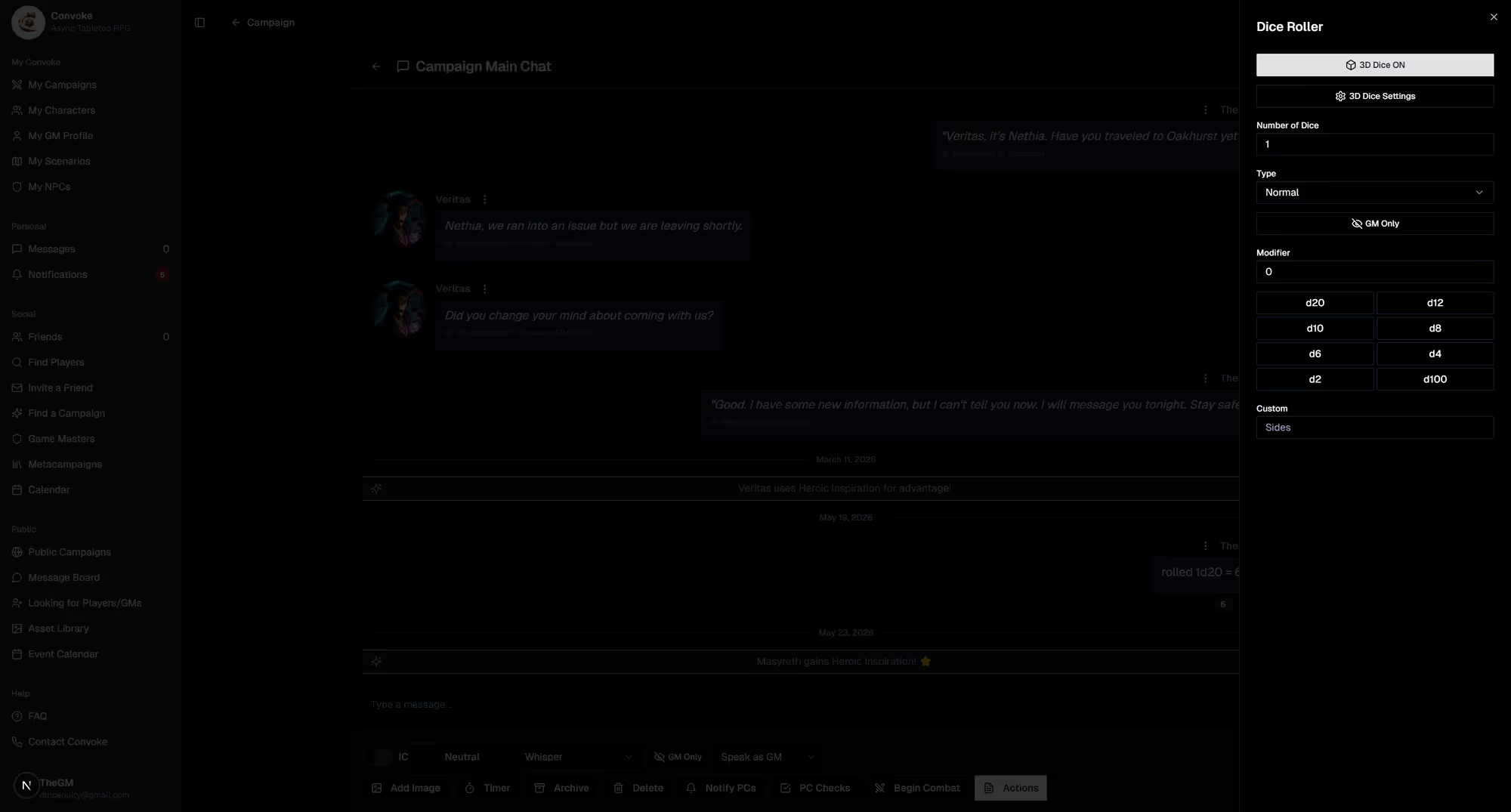
Configure Your Roll
Set the Number of Dice you want to roll, choose the roll Type (Normal, Advantage, or Disadvantage), add any Modifier (like +5 for your attack bonus), then click the die button to roll. You can also use GM Only to make a secret roll that only you can see.
Step 3
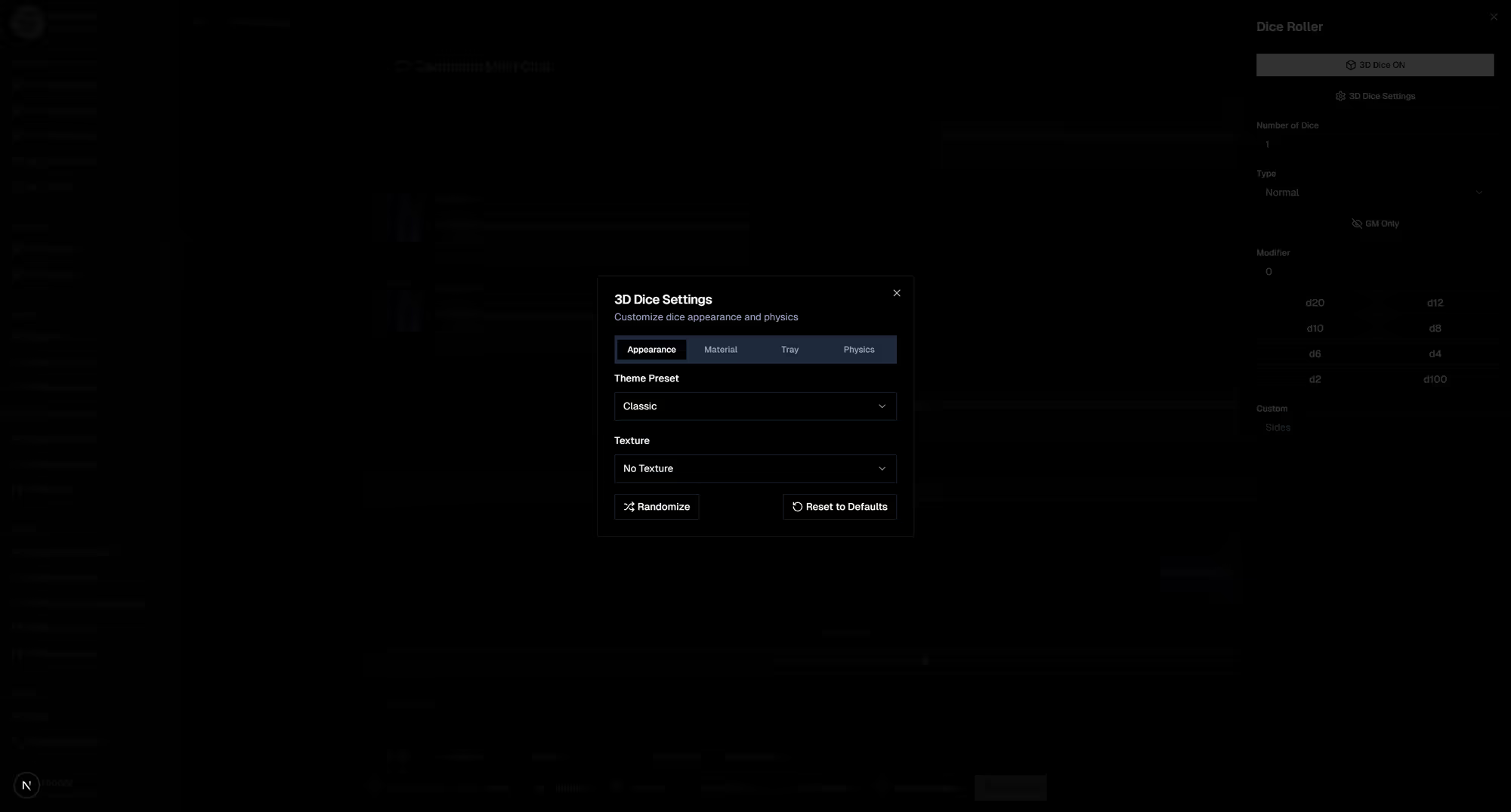
Customize Your 3D Dice
Click the 3D Dice Settings button to customize the look of your dice. Change colors, materials, and styles to make them uniquely yours. Toggle 3D dice on or off with the 3D Dice ON/OFF button if you prefer instant results.